MeccanicOS
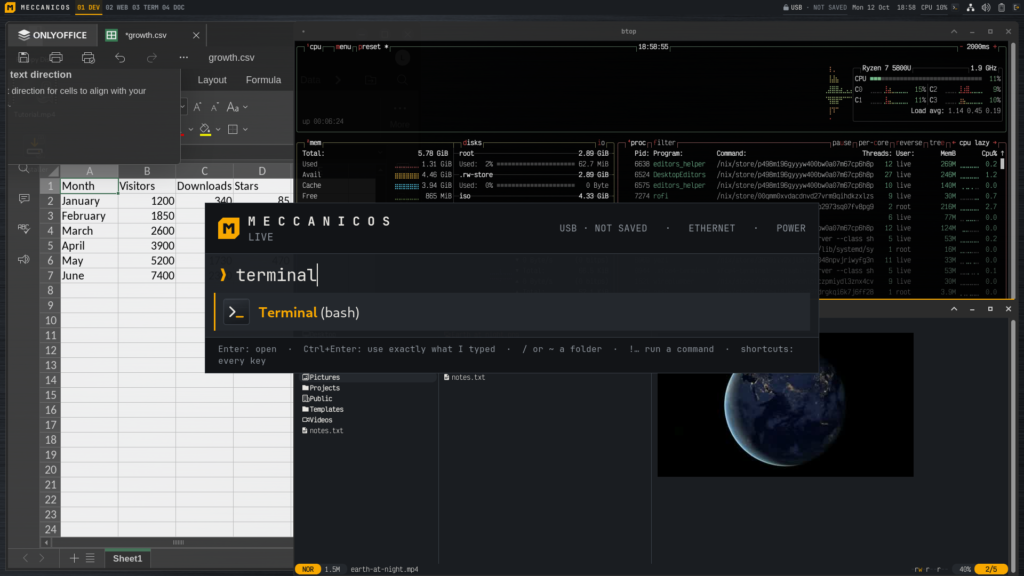
What you get on the stick.
Command bar
Type part of an app name, a website, a command, a path (~/Documents opens it in yazi) or !command to run it in a new shell. ?question asks the AI.
Live, persistent or installed
Run from USB with nothing kept, keep your home encrypted on the stick, or install to the disk from one page. What survives a restart.
Encrypted vaults
LUKS2 vaults in the stick’s free space, and on Ventoy sticks as files next to the ISO.
Open anything
open FILE works like on a Mac, and the same rules apply in the shell, yazi, mc, fzf and on a double-click.
Apps on demand
With a network: search nixpkgs’ 120,000 packages, try an app without installing it, or give one folder its own tools with direnv.
AI chat, your choice
Local AI after a one-time model download (Qwen3 through Ollama, ~2.5 GB; then offline, and nothing leaves the computer), or Claude, ChatGPT or Grok with your API key (your questions go to that company).
Read aloud
Copy any text and an offline voice (Piper) reads it, sentence by sentence.
Login alerts
An alert on an SSH login from somewhere new or an SSH attack, never more than a few an hour. One key disconnects everything.
Backups like Time Machine
Encrypted, every night or when you plug in the disk, or to the cloud. Get back any earlier version of a file from a right-click.
Settings and a doctor
Common settings in one place, exported to another computer in one file; a doctor that finds problems and offers a fix.
Scales to the screen
Text grows with large and sharp screens by itself; icons keep their size.
A terminal that helps
VictorMono Nerd Font, Atuin history, fzf, zoxide, yazi with image previews and drag and drop.
Fleets (experimental)
Run all of an organization’s computers on MeccanicOS from one MeccanicOS server, with git, SSH and SQLite: one repository says what each computer runs and who logs in where; disk unlocking with Tang, the TPM or a security key.
A guided tour, and Help
A tutorial video with subtitles on every desktop, filmed in a VM from the same system; the manual is on the stick too (Help in the command bar).