
WordStar Lives Again (and Again)
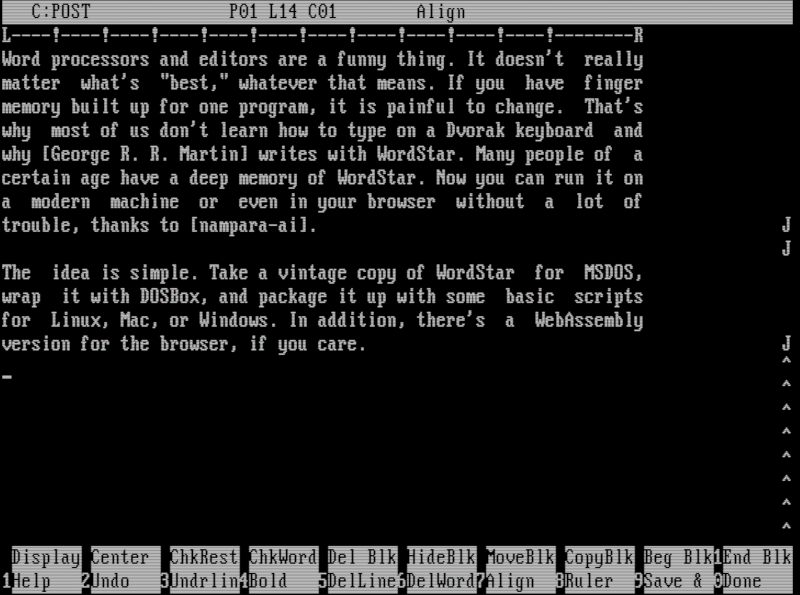

Word processors and editors are a funny thing. It doesn’t really matter what’s “best,” whatever that means. If you have finger memory built up for one program, it’s painful to change. That’s why most of us don’t learn how to type on a Dvorak keyboard and why [George R. R. Martin] writes with WordStar. Many people of a certain age have a deep memory of WordStar. Now you can run it on a modern machine or even in your browser without a lot of trouble, thanks to [nampara-ai].
The idea is simple. Take a vintage copy of WordStar for MSDOS, wrap it with DOSBox, and package it up with some basic scripts for Linux, Mac, or Windows. In addition, there’s a WebAssembly version for the browser if you’re into that sort of thing.
On Linux, the wordstar.sh file grabs the current directory and sends it to launch.sh. This script makes sure everything is ready, builds a DOSBox config file from a template, and launches everything. The only problem is that it doesn’t correctly resolve symlinks if you want a link on your path. Luckily, that’s easy to fix:
#!/usr/bin/env bash
 # Run me to launch WordStar 4.0 on Linux:  ./wordstar.sh
DIR="$(realpath "$0")"
DIR="$(dirname $DIR)"
cd "$DIR"
DIR="$(pwd)"

#DIR="$(cd "$(realpath "$(dirname "$0"))" && pwd)"
"$DIR/native/lib/launch.sh"
Practical? No. Irreplaceable? Not really. You could run WordStar under RunCPM or set up DOSBox yourself. You can even find a sort of modern version to run, if you prefer. But for just a quick way to get it running easily, it is hard to beat. If you want to play with the web version, it is easy to navigate to the web subdirectory and run Python:
python3 -m http.server 5309
Then you can point your browser to http://localhost:5309, and you are in business. Or, get a flavor for it from [TigerClawTV]’s walk-through video below.