
6 Highly-Rated Wi-Fi Mesh Systems You Can Easily Set Up At Home
We may receive a commission on purchases made from links.
The incredibly connected lives we lead, whether it involves smart-home systems, hours-long multiplayer gaming, streaming audio and video, or working from home, rely on one core technology: the internet. More specifically, on Wi-Fi. So, a stable, fast Wi-Fi connection is paramount, no matter what you’re doing on the internet.
If you live in a smaller single-story home, say one that’s about 2,000 square feet or less, then a conventional router will likely be more than adequate for most needs. But larger, multi-story homes, or those with dead zones, may not be as easy to cover fully with Wi-Fi. You can, of course, run Ethernet cables to provide stable connectivity to those awkward spots — and hide them around the house so they don’t become too much of an eyesore — but there’s another solution: mesh Wi-Fi.
To put it very simply, mesh Wi-Fi systems use multiple nodes instead of a single router, which allows them to spread Wi-Fi over larger areas and across multiple floors. There are a good number of major mesh Wi-Fi brands on the market, although the situation in late 2026 is complicated by the FCC’s decision to ban foreign-made routers. As of November, exempted brands include Netgear, Eero, and Asus. While you can still get products from brands like TP-Link, they come with a ticking time bomb in the form of a 2029 update cutoff. While there seems to be some willingness to extend that deadline, we’ll focus on safe brands so you don’t have to worry about changing routers a few years in.
Eero Pro 7
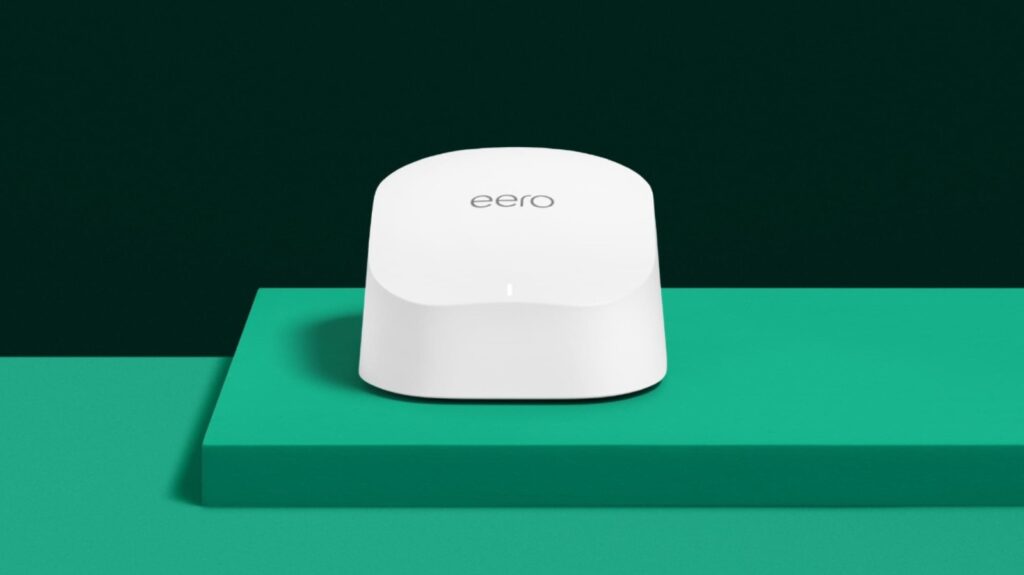
Amazon-owned Eero makes a range of mesh Wi-Fi systems, and one of its best all-round offerings is the Eero Pro 7. It’s solid value as far as tri-band Wi-Fi 7 routers go, with an MSRP of $800 for a three-pack that drops as low as $600 or so during one of Amazon’s many sales. Even at full price, though, the Pro 7 is a well-regarded pick for anyone seeking a mid-range option with good wireless performance and a straightforward, app-based setup.
The Eero Pro 7 is 5 Gbps-capable, with claimed supported wireless speeds of 3.9 Gbps and two auto-sensing 5 GbE ports for wired networking. It covers a claimed 6,000 square feet and will handle more than 200 connected devices per node. It’s an excellent performer in the real world, too. It covered PC Mag’s test house nearly perfectly, while its wireless throughput wasn’t too far off the megabucks Netgear Orbi 973 in Tom’s Guide’s testing, even besting it in the 50-foot range tests (994.4 Mbps versus 495.1). Alexa support and compatibility with Thread, Zigbee, and Matter are also welcome value-adds for smart-home owners.
It’s not all sunshine and blazing-fast wireless, though, and the Eero Pro 7 comes with some compromises. You only get two Ethernet ports, which can be limiting, and no USB ports. Configuration is also relatively limited, and you’ll pay for Eero Plus ($10 monthly or $100 yearly) to unlock extras like content filtering and ad-blocking, which not everyone will like. But if you want fast mesh Wi-Fi that’s as plug-and-play as it gets, the Eero Pro 7 might be it.
Netgear Orbi 370
Netgear is a big name in networking, with several sub-brands under its wing, including the performance-oriented Nighthawk and mesh Wi-Fi-centric Orbi. The latter has four systems in its lineup, from the Orbi 370 to the price-no-object, totally overkill Orbi 970. While we’re sure some of you will want what the 970 can offer, we’d wager the 370 is the one most users will consider.
The Netgear Orbi 370 is a Wi-Fi 7 mesh system that, like many affordable Wi-Fi 7 solutions, sacrifices the 6.0 GHz band to keep prices down. It’s still not as cheap as other dual-band Wi-Fi 7 products, coming in at a typical Amazon list price of about $350 for a three-pack, but Netgear’s Conditional Approval status with the FCC may make that premium worth it for some. There’s more to the Orbi 370 than that, though: it’s a strong enough performer, for one, with both PC Mag and Tom’s Hardware praising the system’s performance, especially on the 5GHz band. It outperformed the Eero 7 in the former’s testing while offering solid coverage and a very easy app-based setup process.
Netgear claims the three-pack can cover up to 6,000 square feet, with a maximum internet speed of 5 Gbps and support for up to 70 devices simultaneously. Unfortunately, you only get one 2.5GbE port per device, which can be limiting, though that’s nothing an Ethernet switch can’t fix. What you can’t fix with hardware, however, is the subscriptions. You’ll have to pay monthly even for parental controls, which some will surely bristle at.
Eero 7
The Eero 7 is the Eero product for the average buyer who wants something up-to-date, reasonably performant, and won’t cause any major headaches in the long run. It’s not necessarily the best out there, not least because it lacks the 6.0 GHz band, but it’s capable enough for most and should provide adequate coverage for all but the largest homes.
Each Eero 7 unit covers 2,000 square feet and 120 devices, making for 6,000 square feet of coverage and hundreds of potential connections with a three-unit setup. It supports internet plans of up to 2.5 Gbps, with wireless maxing out at a claimed 1.8 Gbps. PC Mag’s testing didn’t quite manage those numbers, but the 1,101 Mbps and 586 Mbps the router achieved in close-range and 30-foot tests — which drop to 745 and 513 for the satellites, respectively — are still decent. Not outstanding, but the simple setup process, set-and-forget nature, and integration with Thread, Zigbee, and Matter, plus Alexa support, make the Eero 7 an easy system to live with overall — which may matter more than raw throughput for some users.
Yes, the $400 price for the three-pack will balloon over the years if you have to subscribe to Eero Plus for features like parental controls, but that unfortunately seems like the norm rather than an exception these days. Still, if that’s fine with you — or if you’re confident you won’t need the extras –then the Eero 7 could be the safest choice in the current router climate.
Netgear Orbi 870
Netgear’s Orbi 970 sits near the top of the mesh Wi-Fi food chain, with class-leading performance tempered only by an eye-watering $2,000 MSRP for a three-pack. But step down a notch from the 970, and you’ll find the Netgear Orbi 870, which should be more than good enough for all but the largest homes and the most dedicated power users. Sure, it’s still not cheap at about $1,250 for three, but you do get a lot of networking grunt for your money.
How much grunt exactly, you ask? Well, 9,000 square feet of coverage with a three-pack, according to Netgear, which equated to excellent coverage of PC Mag’s real-world test home. Its tri-band Wi-Fi 7 setup also maxes out at 21 Gbps (with a 10 GbE WAN port) and can accommodate up to 150 devices. Real-world speeds are excellent, too: it maxed out at 1.82 Gbps in Tom’s Guide’s 15-foot test and stayed strong at 50 and 75 feet. The 102.6 Mbps the outlet recorded at 90 feet was solid, too, and Tom’s Guide noted that it maxed out at an impressive 115 feet. If you’re combining wired and wireless networking, the Orbi 870 units’ four 2.5 GbE Ethernet ports are perfect for wired gaming rigs or home servers, too.
The Orbi 870 isn’t a total home run, though. You can get faster Wi-Fi elsewhere, for one, while Netgear’s so-so one-year warranty may turn some users off. Despite that, the combination of wired expansion and great range makes the 870 well worth considering if you need either (or both).
TP-Link Deco 7 BE23
The TP-Link Deco 7 BE23 mesh Wi-Fi system is a Wi-Fi 7 setup that sacrifices the 6.0 GHz band and some physical connectivity — no USB and only a pair of 2.5 GbE Ethernet ports per node — to hit a typical list price of $250 for a three-pack. It has all the Wi-Fi 7 basics, and TP-Link claims maximum speeds of 2,882 Mbps on 5 GHz and 688 Mbps on 2.4 GHz. It’ll also cover 6,500 square feet and support up to 150 devices at one time.
Tom’s Guide was impressed by the TP-Link’s performance, recording a maximum of 1.449 Gbps 15 feet from the router and a still-great 150.1 Mbps 90 feet away. They also appreciated the setup and configuration, which was quick and straightforward thanks to the app — praise echoed by many Amazon buyers. Deco owners also benefit from being able to use any of the units as the primary router, which isn’t the case with some other mesh solutions. You get a basic TP-Link HomeShield plan, too, although you’ll have to subscribe to unlock more full-featured security and management features.
TP-Link’s budget mesh system won’t blow you away, but should be good enough for many homes. The company has higher-performance routers, of course — the tri-band TP-Link Deco 7 Pro BE63, for example — but the potential cessation of U.S.-market updates after 2029 means that it’s hard to recommend spending too much on a TP-Link router as of late 2026. After all, while you can just keep using a router that isn’t receiving updates, it’s really not a good idea.
Eero 6
Wi-Fi 7 is great and all, but not everyone needs a cutting-edge mesh Wi-Fi system. If you’re considering mesh Wi-Fi primarily to ensure good coverage and aren’t particularly in need of the fastest speeds ever, going with an older Wi-Fi 6 (or 6E) product might just be the play. A great choice here would be the Eero 6, a three-pack of which will set you back just $140 (with a one-month free Eero Plus subscription) from Amazon at the time of writing.
You will, of course, be giving up raw performance: Eero claims 4,500 square feet of coverage with three units, with speeds limited to 500 Mbps wireless and 900 Mbps over Ethernet. That’s fast enough for most, with RTINGS noting solid real-world speed and coverage performance that broadly back the brand’s claims up, but if you’re rocking ultra-fast gigabit fiber from an ISP like Ziply, then these won’t be for you. Of course, if you can afford a Ziply plan, you’re likely seeking tri-band Wi-Fi 7 anyway, so it all works out. You’re also limited to 1 Gbps Ethernet, but that’s again not a massive deal.
Eero’s routers are traditionally easy to set up, and the 6 is no different, with a simple app-based install process that works with your Amazon account. Like Eero’s newer routers, the Eero 6 has some smart-home capabilities built-in, with support for Alexa and Apple HomeKit. If you want more than that from your Wi-Fi 6 mesh system, though, you’ll have to step up to the Eero 6+, which adds Zigbee and Matter support and is gigabit-capable.
Our methodology
We relied primarily on trusted, third-party to identify mesh Wi-Fi systems that both performed well and were easy to set up for this list, with a focus on brands that have been given an exemption from the FCC’s foreign router ban as of late 2026. We also took user reviews on online retailers like Amazon into account for the latter, making sure that buyers consistently praised how easy a particular mesh Wi-Fi system was to set up.